![IncQuery logo 2022 (horizontal)-1.png]](https://www.incquery.com/hs-fs/hubfs/IncQuery%20logo%202022%20(horizontal)-1.png?height=39&name=IncQuery%20logo%202022%20(horizontal)-1.png)
The response table can be downloaded from the results tab (in various formats) at anytime even before the fielding of the survey begins. This feature allows your analysis team to review and build the analytic model ahead of data collection to speed up the eventual data analysis process. We recommend checking out IncQuery's data analysis tool for your project.
Within the data file, question numbers and the corresponding answers are paired and formatted intuitively depending on the question type.
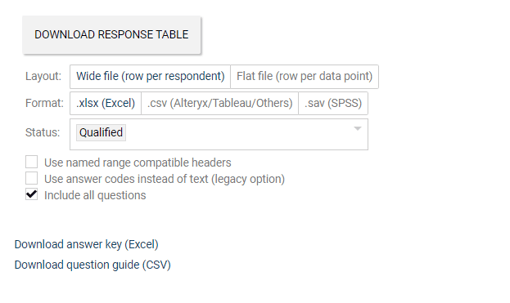 |
Tip - For number coded output file, check the "Use answer codes instead of text (legacy option) when downloading the responds table. The answer keys can be downloaded for cross-reference.
Generally, questions that expects only 1 answer (such as single-select MCQs, free text and number input) are contained within 1 column while, questions that allows for selection of multiple choices (such as multi-select MCQs, ranking, allocation) are spread out over multiple columns with each column accounting for each possible selection.
Questions appearing in loops are handled in the same manner but with columns repeated based on all possible iteration of the loop (names for the respective loops are added to the end of the column name for easy reference).
To include non-question data such as respondent classification or a calculated variable into the responds table. Do reach out to the assigned Survey Directors for your project to let them set up these inclusions for you.