![IncQuery logo 2022 (horizontal)-1.png]](https://www.incquery.com/hs-fs/hubfs/IncQuery%20logo%202022%20(horizontal)-1.png?height=39&name=IncQuery%20logo%202022%20(horizontal)-1.png)
Ranking is when the respondent chooses an order to a list of choices. Typically this is indicating which choices are more important than others in series. This differs from a rating of choices in that ranking does not allow for the same choice to get the same score.
In IncQuery there are two styles of Ranking question, Drag-and-drop or Click-to-rank based on the interaction the respondent will have with the question.
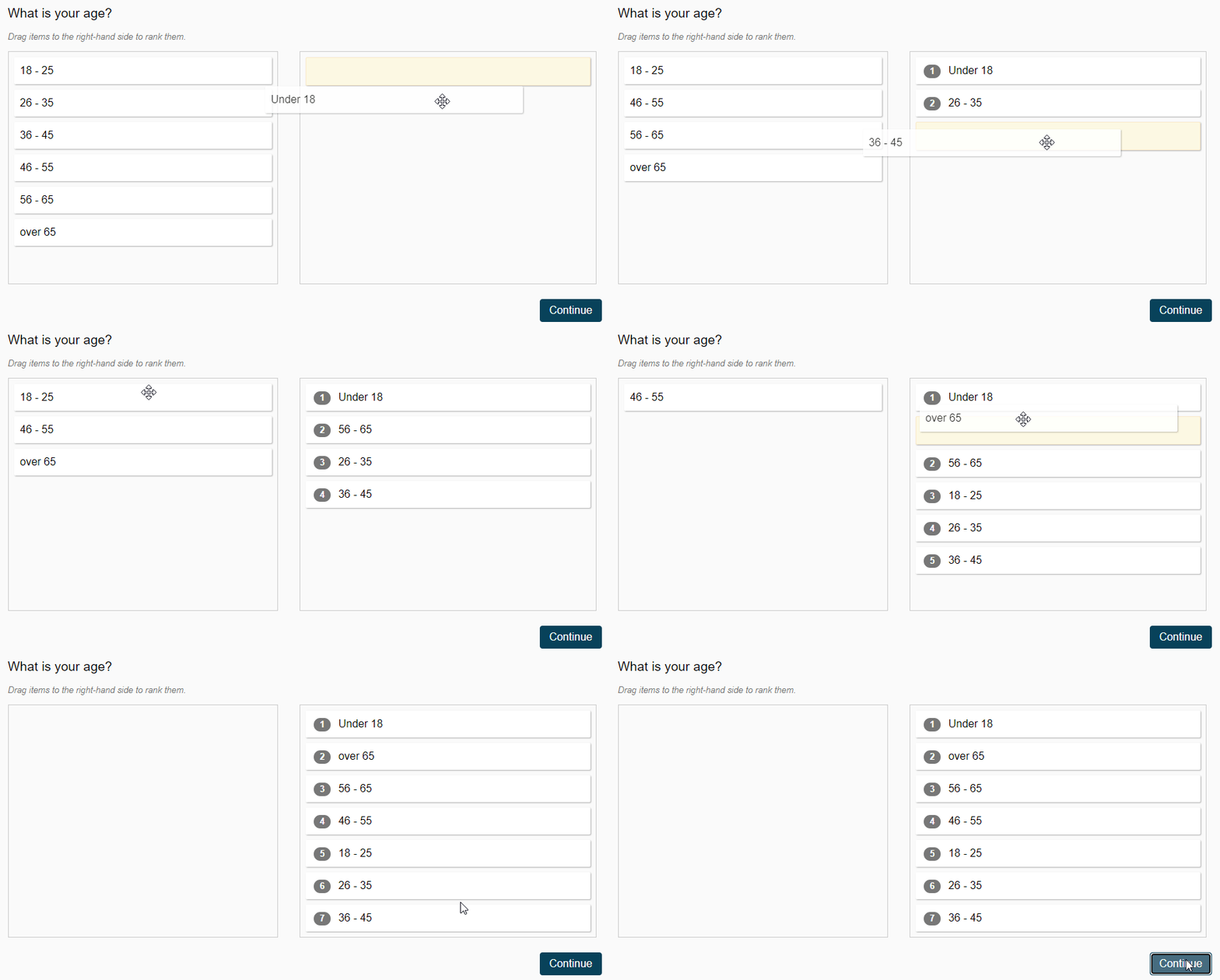
Drag-and-drop - The respondent will click choices on the left and drag them to the right column in a specific order
 |
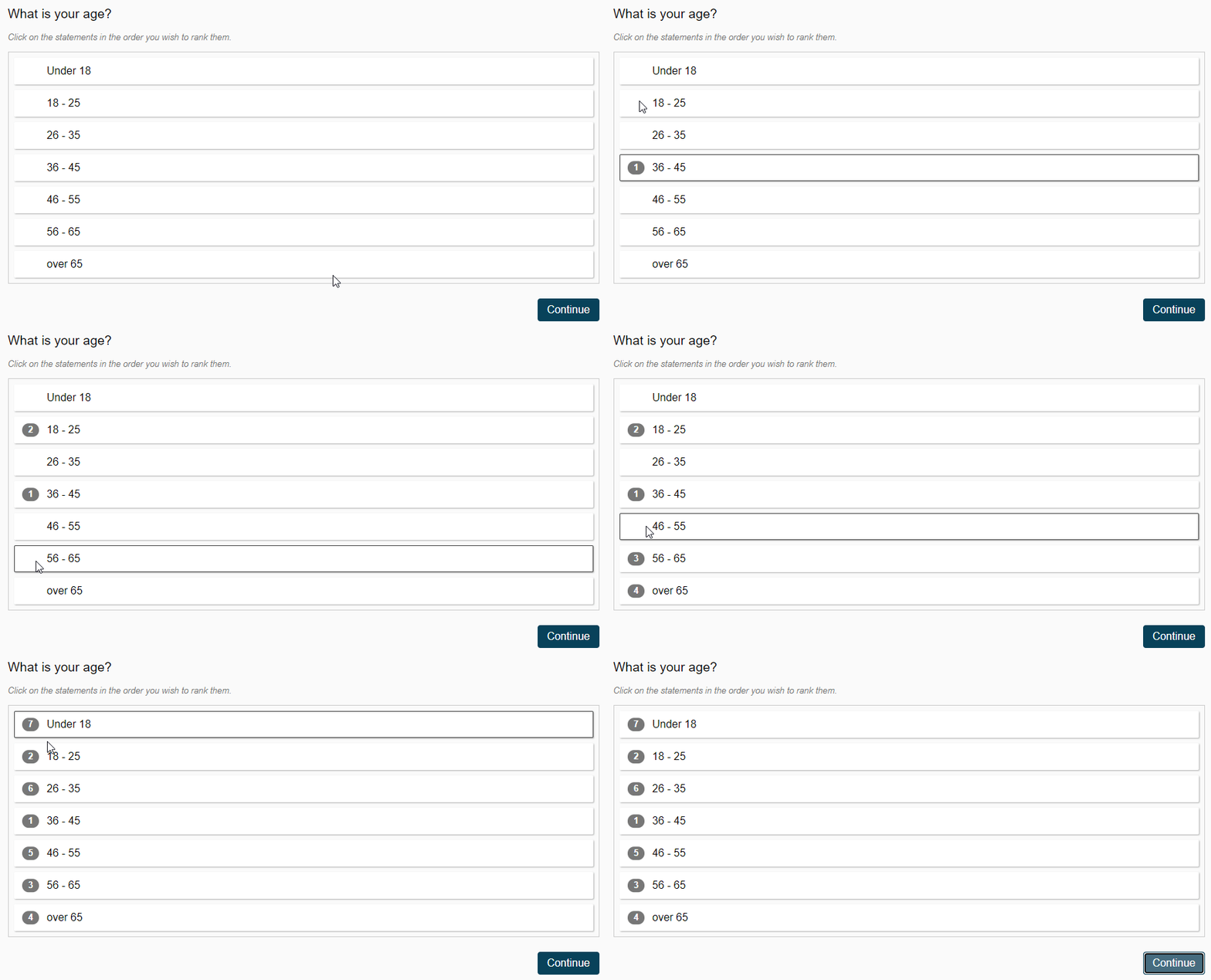
Click-to-rank - The respondents clicks choices in order to assign the rank
 |
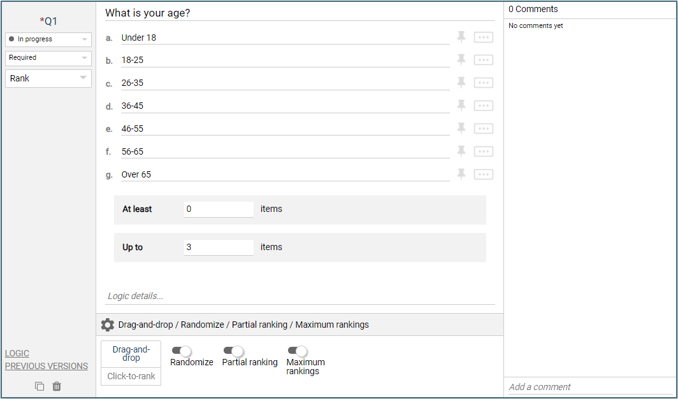
Randomize - This toggle will shuffle the display order per respondent. Pins will appear beside each choice allow them to be frozen in place.
Partial ranking - This will allow some choices to be left unranked (Min items setting)
Maximum rankings - This will limit the total number of choices ranked
 |
Logic Settings for Ranks
The available logic settings for a Rank question are:
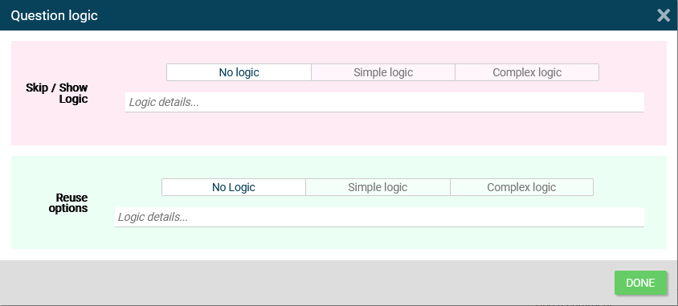 |
Reuse options - Pull in information from a previous question or from a variable to populate the choices