![IncQuery logo 2022 (horizontal)-1.png]](https://www.incquery.com/hs-fs/hubfs/IncQuery%20logo%202022%20(horizontal)-1.png?height=39&name=IncQuery%20logo%202022%20(horizontal)-1.png)
During the Soft Launch or Full Launch phases updates to the Target and Max N for the overall Sample Size and Quotas can be published without assistance from the IncQuery team.
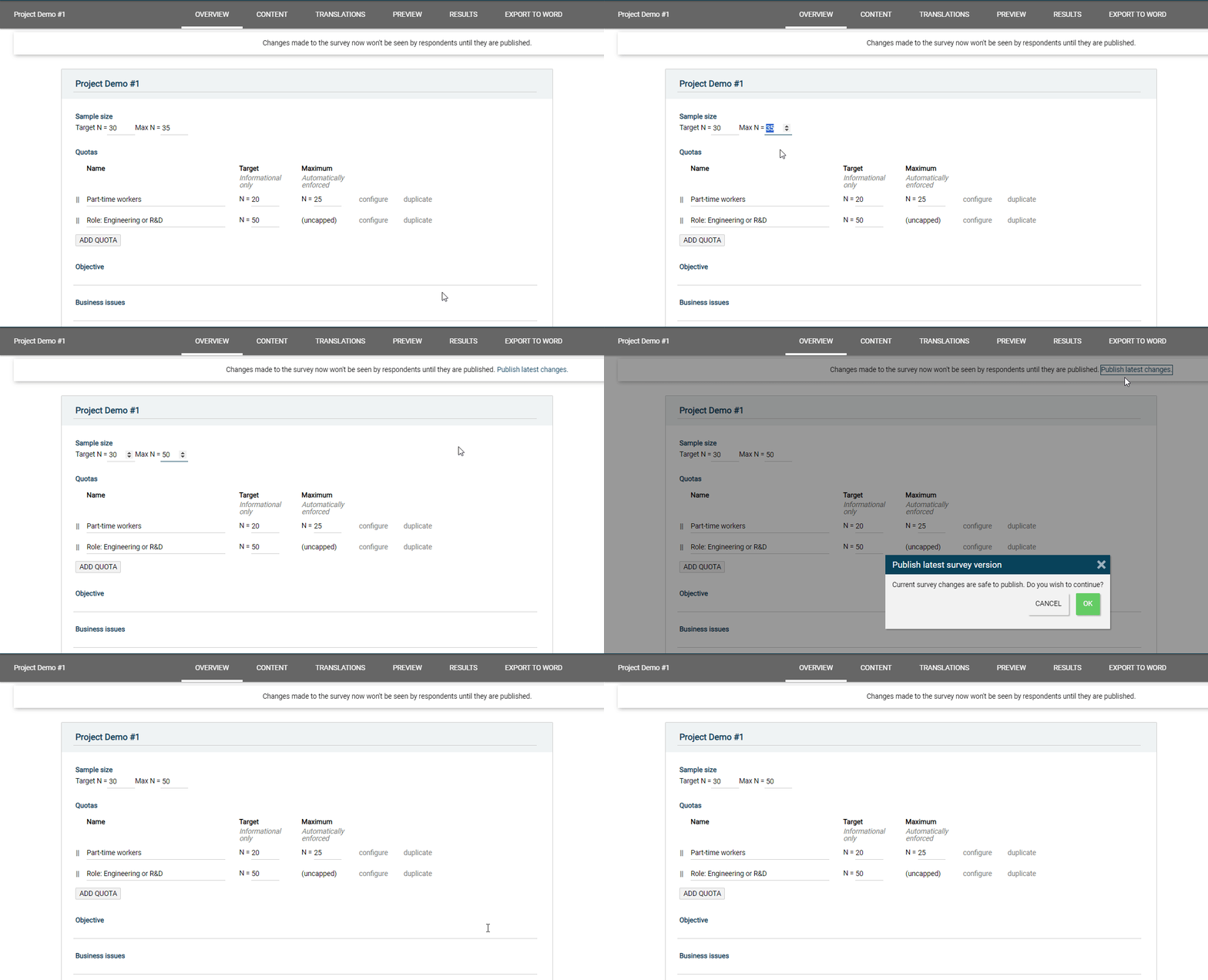 |
Steps to Publish
- Update Target or Max N on any quota or the overall Sample Size
- Click "Publish latest changes"
- Click "Ok" on pop up window
Self publishing is limited to changed to Target and Max N. All other changes will need to be reviewed by the IncQuery team in order to be published.
If you receive this message:
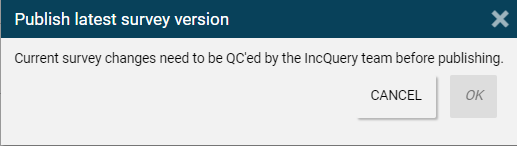 |
It means that changes have been made somewhere in the survey besides just the Target and Max N values. Please reach out to your Survey Directors to have the updates published.