![IncQuery logo 2022 (horizontal)-1.png]](https://www.incquery.com/hs-fs/hubfs/IncQuery%20logo%202022%20(horizontal)-1.png?height=39&name=IncQuery%20logo%202022%20(horizontal)-1.png)
Multiple choice is the default question type when you add a new question into the survey and it's the most popular type of question.
The default settings on a Multiple Choice question are:
Display Vertical, Single-Select
Here's an example of the default settings:
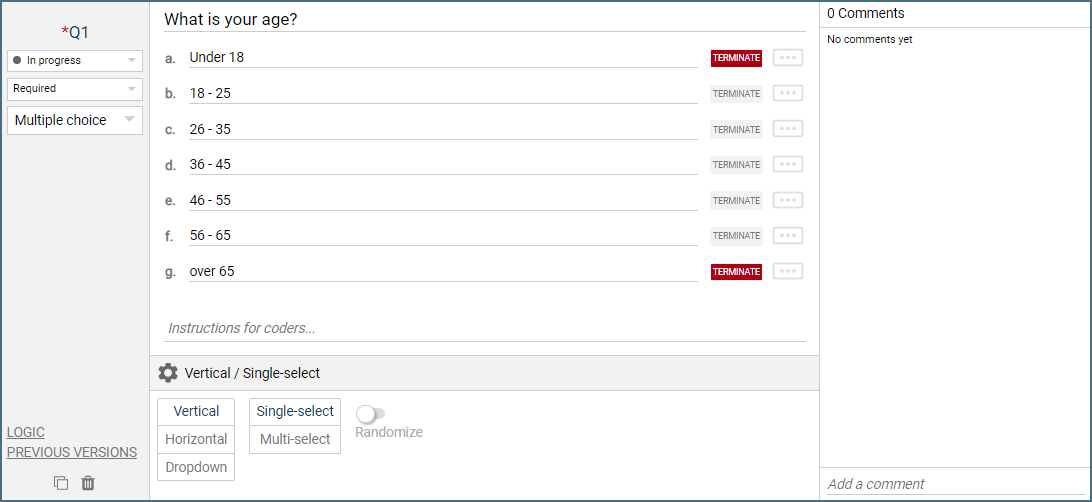 |
Note: The red Termination flags are only available in the Screening section for Multiple Choice questions
Changing the Display to Horizontal would show the respondent this:
 |
Changing the Display to Dropdown would show the respondent this:
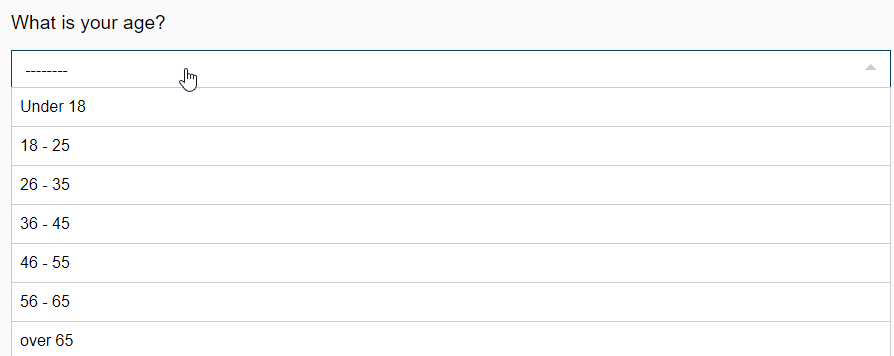 |
Note - Dropdown menus are typically reserved for long lists of choice because they require twice as many clicks to complete as the other display types
Changing from Single-Select to Multi-Select changes the question to this:
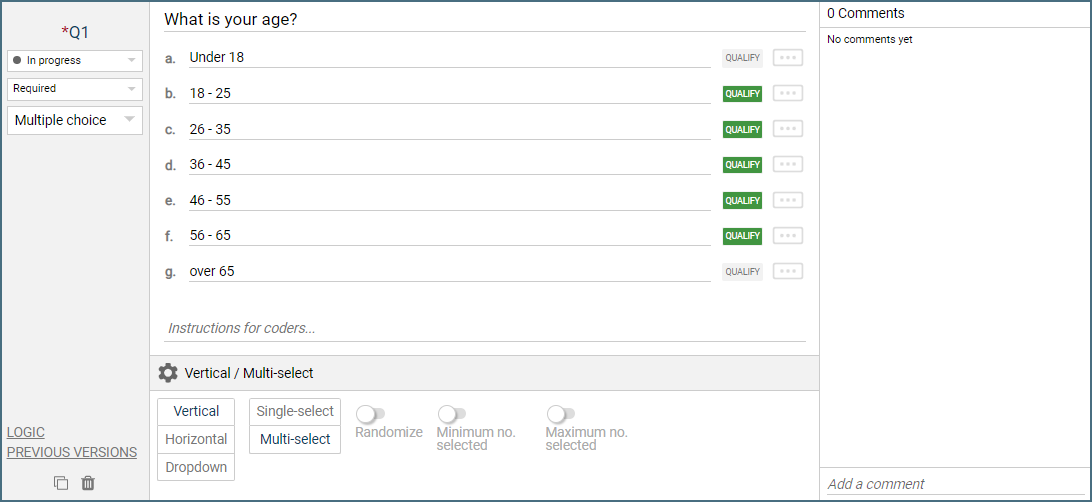 |
Note: The red Termination flags turned to green Qualify flags, for multi-select in the Screening section a respondent has to choose at least 1 Qualify choice to continue
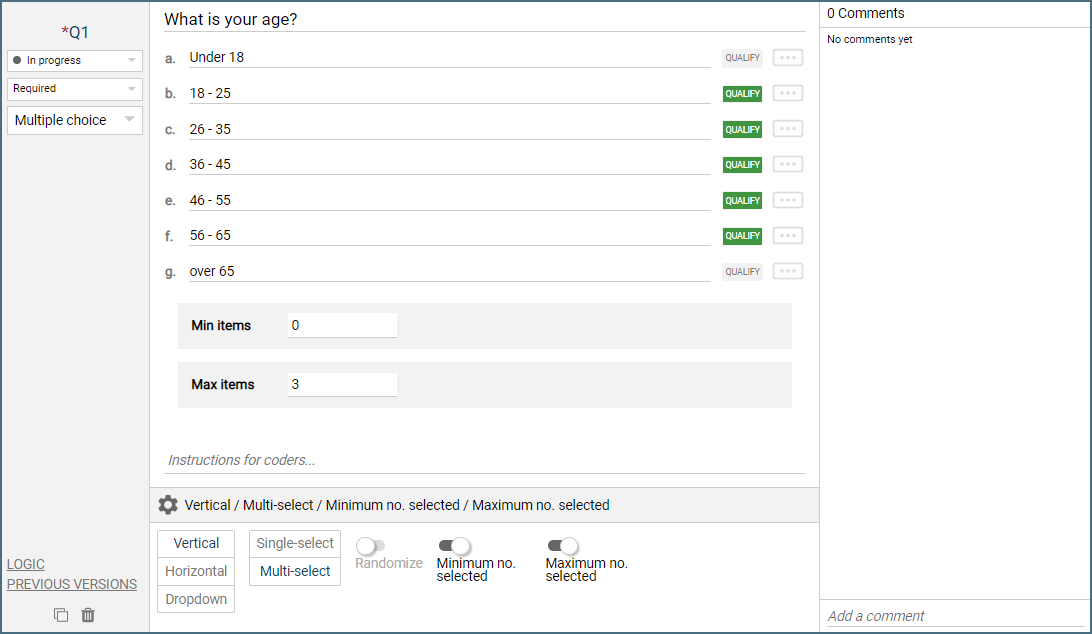
Several new settings also appear in the question options (Gear) such as allowing a Minimum and a Maximum number of selected choices to be set with toggle buttons.
 |
Toggling the Randomize button will shuffle the display order of the choices.
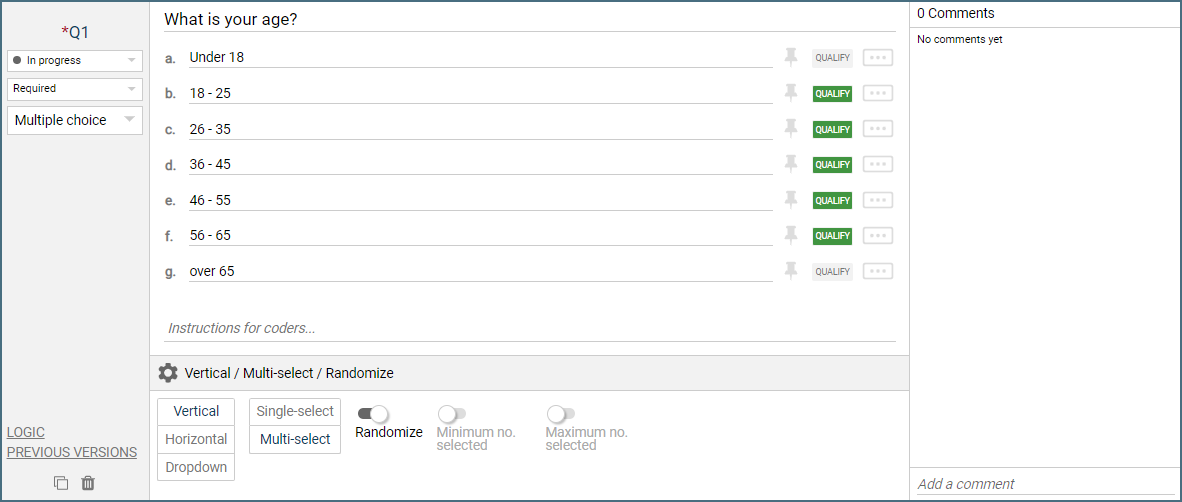 |
Pins will appear to the right of each choice and you can engage a pin to lock the corresponding choice in place in the order while the other choices will randomize.
Logic Settings for Multiple Choice
The available logic settings for a Multiple Choice question are:
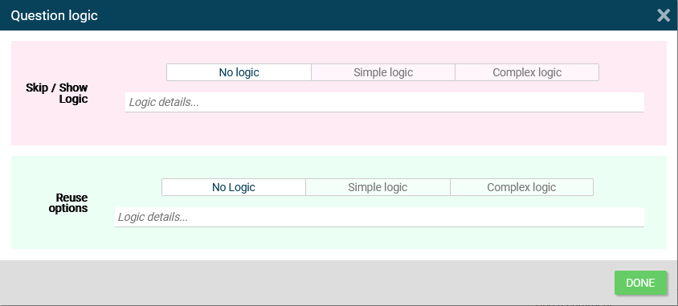 |
Show/Skip - Controls which respondents see or skip this question.
Reuse options - Pull in information from a previous question or from a variable to populate the choices.