![IncQuery logo 2022 (horizontal)-1.png]](https://www.incquery.com/hs-fs/hubfs/IncQuery%20logo%202022%20(horizontal)-1.png?height=39&name=IncQuery%20logo%202022%20(horizontal)-1.png)
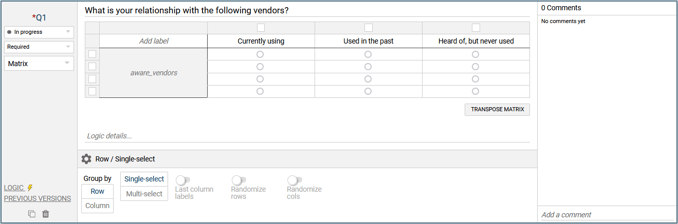
The Matrix question creates a table of radio buttons that the respondent clicks to select their choices. The options available allow it to be used in many different ways. For adding rows or columns to the matrix see this article
The default settings are:
Row/Single-select - with Show header row and First column labels turned on
 |
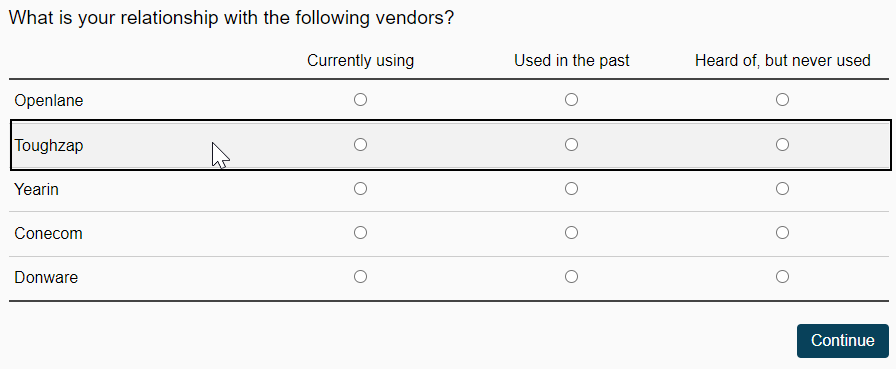
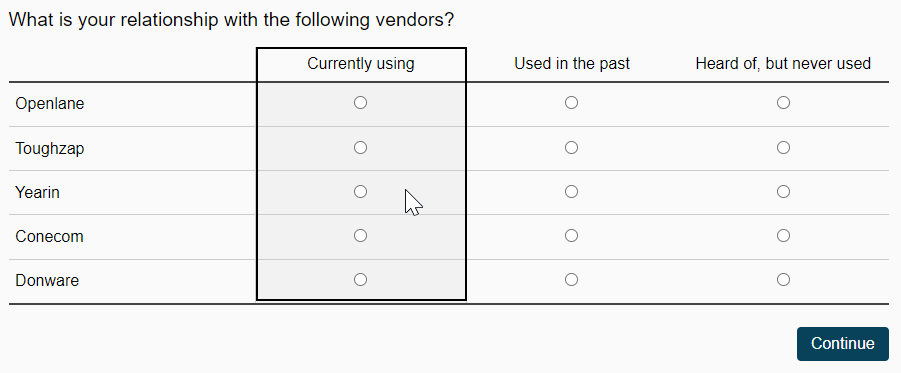
The Group by setting can be set to either Row or Column, for single select this will restrict the possible to selection to 1 per row or 1 per column respectively
Group by Row
 |
Group by Column
 |
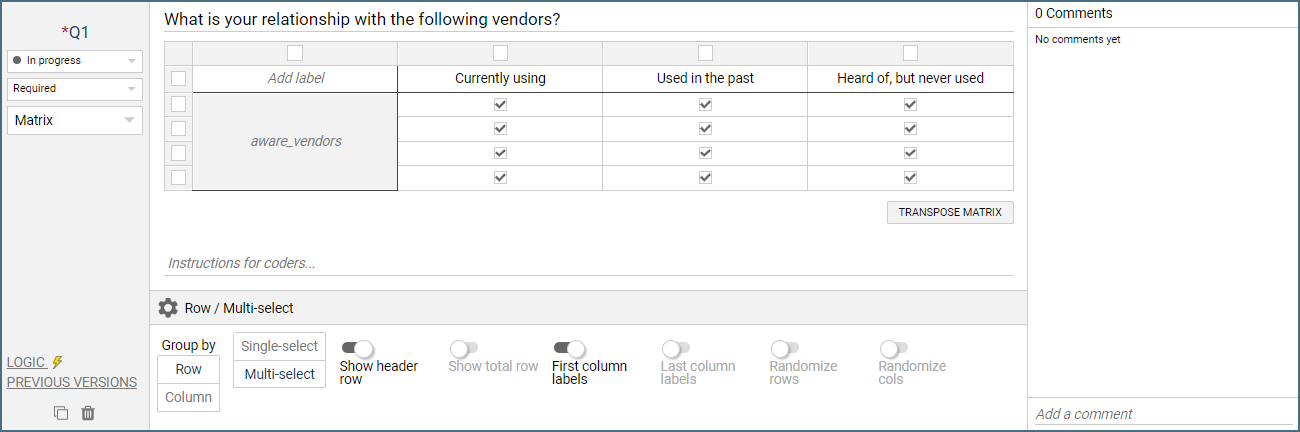
Multi-select - This setting will allow several selections to be made in either rows or columns. With multi-select, the grouping by Row or Column produces the same resulting data.
 |
Randomize rows and Randomize columns - these will shuffle the rows and column respectively. When turning on these options pins will appear on the rows or columns to allow for locking a row or column in place.
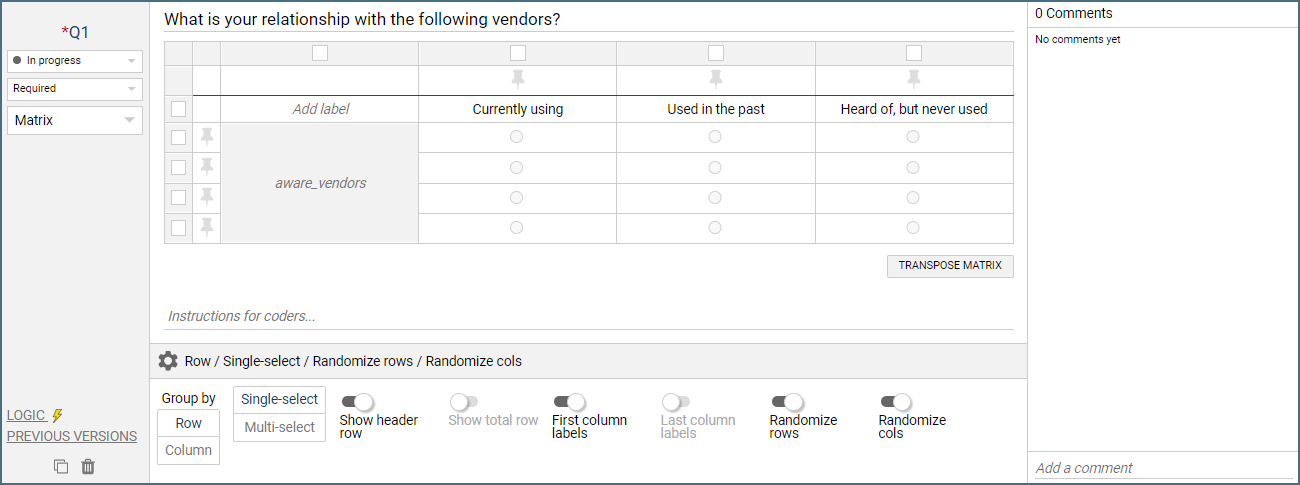 |
Last column labels - Enable this setting to create a Bipolar Matrix question. This setup is most typically used for the comparison of emotional statements that are polar opposites (Good/Bad, Light/Dark, Rough/Smooth). Here's an example:
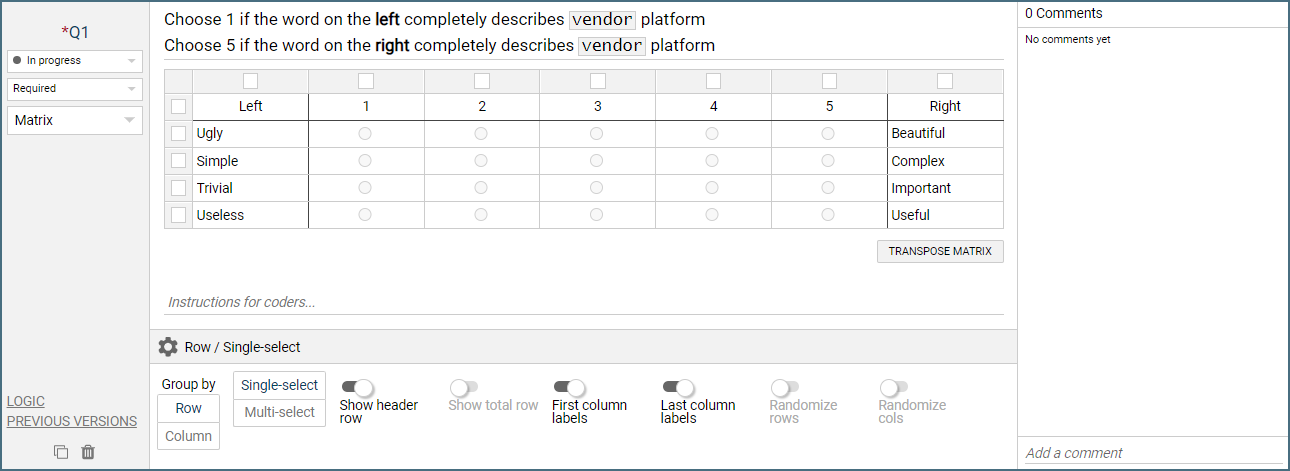 |
Transpose Matrix - this button will switch the rows and columns
Logic Settings for Matrix
The available logic settings for a Matrix question are:
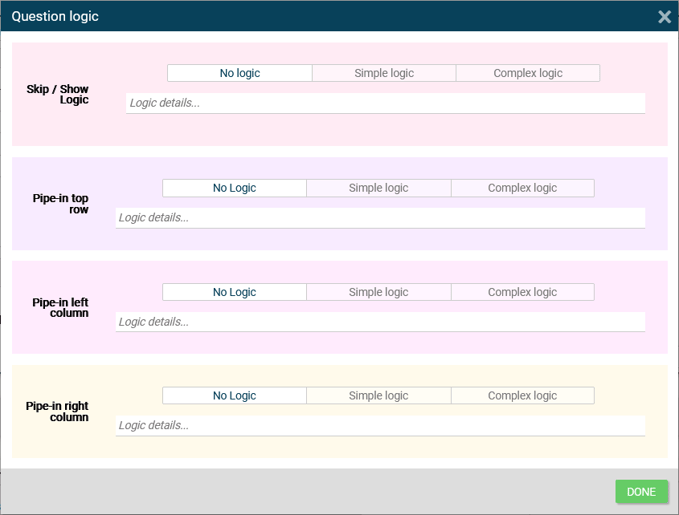 |
Pipe-in top row - Pull in information from a previous question or from a variable to populate the headers in the top row of the Matrix. Note: Only available if Show header row is enabled
Pipe-in left column - Pull in information from a previous question or from a variable to populate the first column the Matrix. Note: Only available if First column labels is enabled
Pipe-in right column - Pull in information from a previous question or from a variable to populate the last column of the Matrix. Note: Only available if Last column labels is enabled