![IncQuery logo 2022 (horizontal)-1.png]](https://www.incquery.com/hs-fs/hubfs/IncQuery%20logo%202022%20(horizontal)-1.png?height=39&name=IncQuery%20logo%202022%20(horizontal)-1.png)
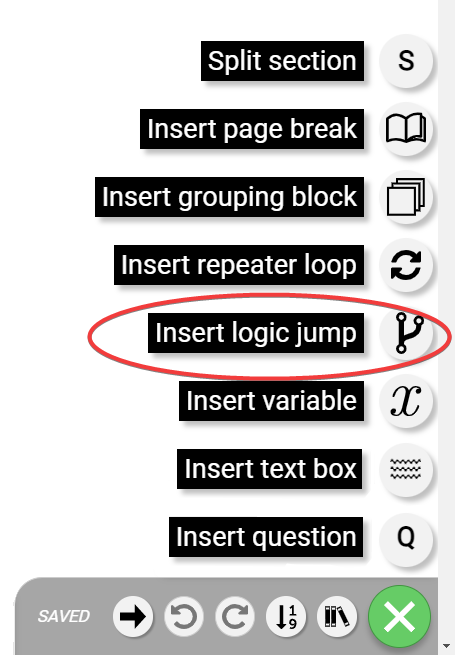 |
The logic jump element is used to move respondents to another area of the survey or directly to the end. Logic jumps are not typically used to skip over a few questions, it is better to use show/skip logic for that purpose
Warning: Do not use a logic jump to go backwards in the survey the respondent should always progress from top down through the survey
The logic jump element looks like this:
| Collapsed |  |
| Expanded | 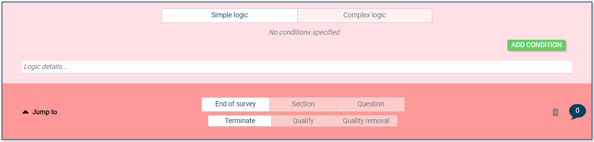 |
Here's an example of a typical logic jump to Terminate:
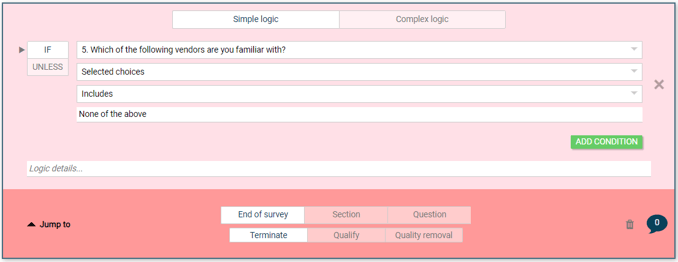 |
From top to bottom, left to right this reads If Q5 selected choices includes "None of the above" Jump to End of survey, Terminate.
Configurations
The buttons at the bottom of the element dictate where the respondent "jumps to"
 |
The top row of buttons is the jump destination: End of the survey, Section or Question.
End of the survey
This option has three possibilities: Terminate, Qualify, and Quality Removal
Terminate and Quality Removal have the same effect on the respondent but Quality Removals will not count towards the overall Incidence Rate
Section and Question
Jump to a Section or a Question will give you a dropdown menu of the Sections or Questions to pick from
 |
 |
Note: For Section and Question jumps you can choose Before or After the specific Section or question