![IncQuery logo 2022 (horizontal)-1.png]](https://www.incquery.com/hs-fs/hubfs/IncQuery%20logo%202022%20(horizontal)-1.png?height=39&name=IncQuery%20logo%202022%20(horizontal)-1.png)
Clicking the green plus button reveals a menu of survey elements to choose from:
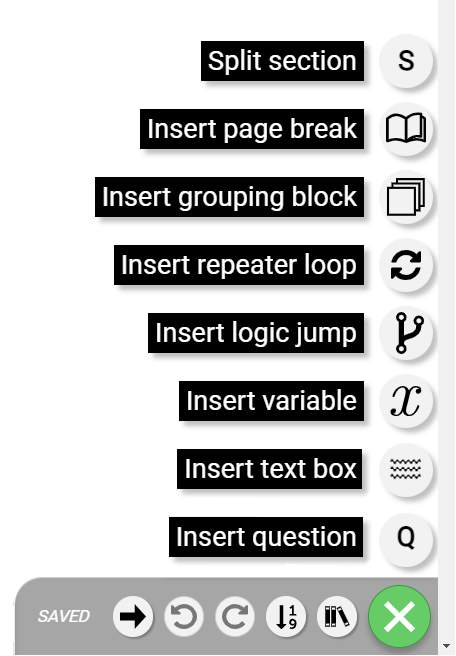 |
From the bottom to the top:
Insert question - adds a new blank question to the survey wherever the cursor is located
Insert text box - adds a text box to the survey. These can be used for internal notes, text for the respondent to read, or coder instructions.
Insert variable - adds a variable to the survey. Variables can be used to store lists of information, qc flags, path
Insert logic jump - these jumps are used for terminating/qualifying respondents, or jumping them to sections or questions
Insert repeater loop - a repeater loop is set up to repeat questions. This is commonly done with NPS or KPC questions
Insert grouping block - a block is used for organizational purposes or to apply logic to multiple questions at once
Insert page break - page breaks are adding between questions, it is best practice to limit to 1 question per page. Page breaks are sometimes necessary for logic elements to function properly
Split section - Add a new section or split an existing one into two