![IncQuery logo 2022 (horizontal)-1.png]](https://www.incquery.com/hs-fs/hubfs/IncQuery%20logo%202022%20(horizontal)-1.png?height=39&name=IncQuery%20logo%202022%20(horizontal)-1.png)
Here are the steps to build a chart or slide using think-cell:
Step 1: In Excel, select the data you want to use.

Step 2: With the data highlighted, click the think-cell icon and select the type of chart you want to create.
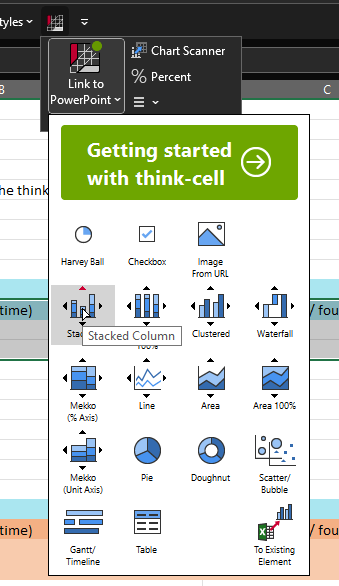
Step 3: You will automatically be switched from Excel to PowerPoint.

Step 4: Click on the area where you want the chart to go. think-cell will insert a graph based on your selected data and chart type.
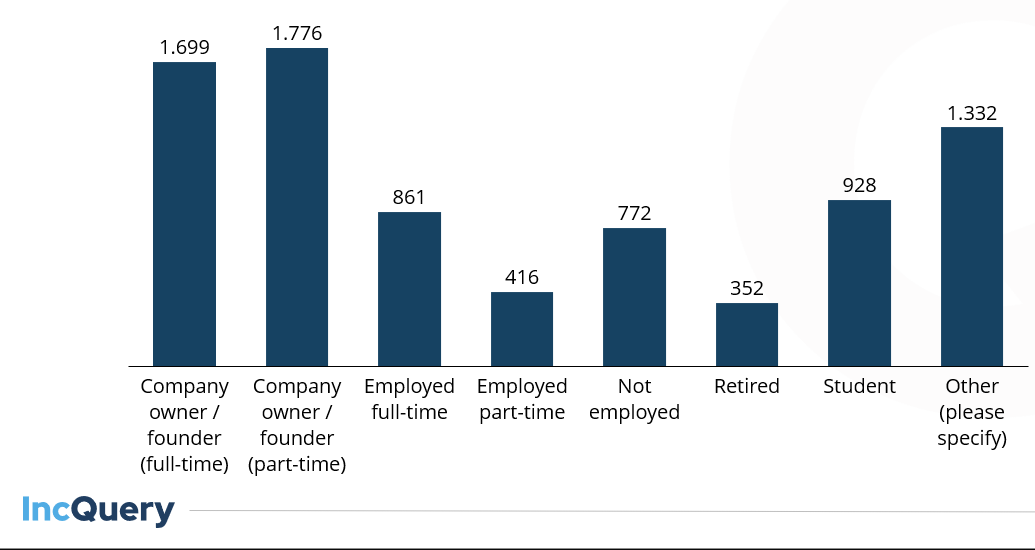
Tip: If the visualization isn’t what you expect, try transposing the data from rows to columns (or vice versa) or selecting a subset of the data.