![IncQuery logo 2022 (horizontal)-1.png]](https://www.incquery.com/hs-fs/hubfs/IncQuery%20logo%202022%20(horizontal)-1.png?height=39&name=IncQuery%20logo%202022%20(horizontal)-1.png)
Choices in Multiple Choice, Rank, Allocation, and Combinations can be tagged with additional information for organization purposes and those tags can be utilized in logic downstream.
The example below is a Multiple Choice, to the right of each choice is a 3-dot menu that provides additional functionality
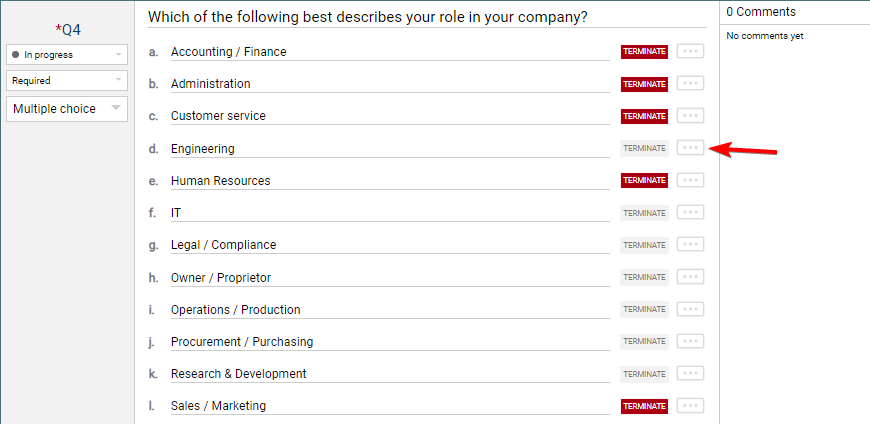 |
Click the 3-dot menu to open the options
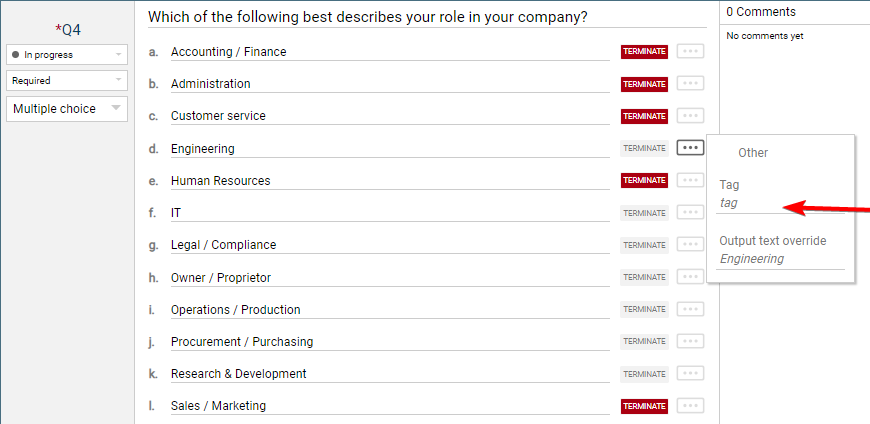 |
On the Tag line, you can add text to tag the choice
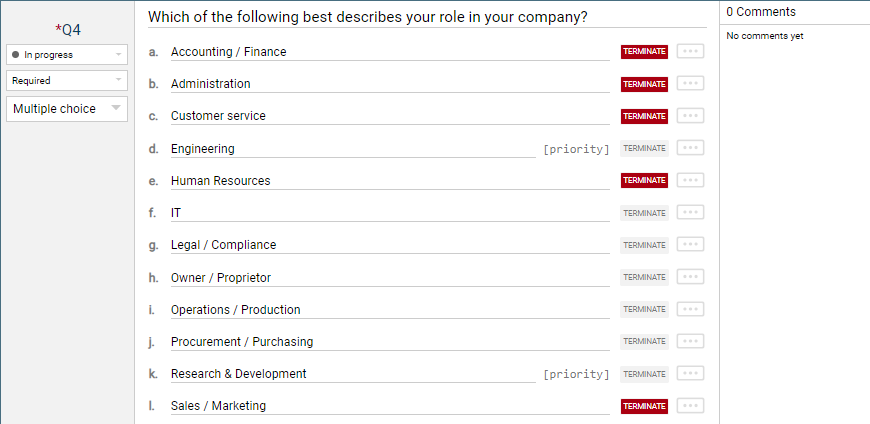
Here are the end results, two of the roles have been tagged as "priority" these tags could be used in logic downstream from this question
 |
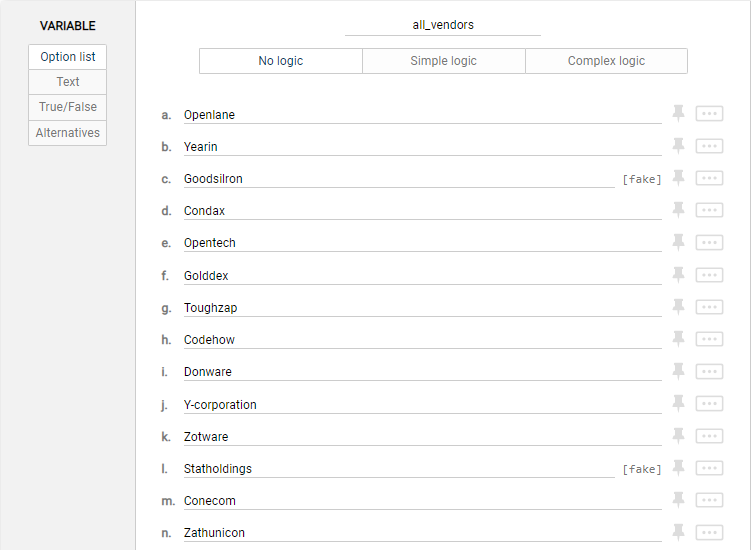
Another example of tagging is to indicate fake vendors. In the example below tags are added to the choices in a variable.
 |