![IncQuery logo 2022 (horizontal)-1.png]](https://www.incquery.com/hs-fs/hubfs/IncQuery%20logo%202022%20(horizontal)-1.png?height=39&name=IncQuery%20logo%202022%20(horizontal)-1.png)
Simple Logic in IncQuery can be used for Show/Skip logic, Reuse options, counting Quotas, and setting up Repeater Loops. To add Simple Logic you add in conditions and then choose from the drop-down menu. See the animation below:
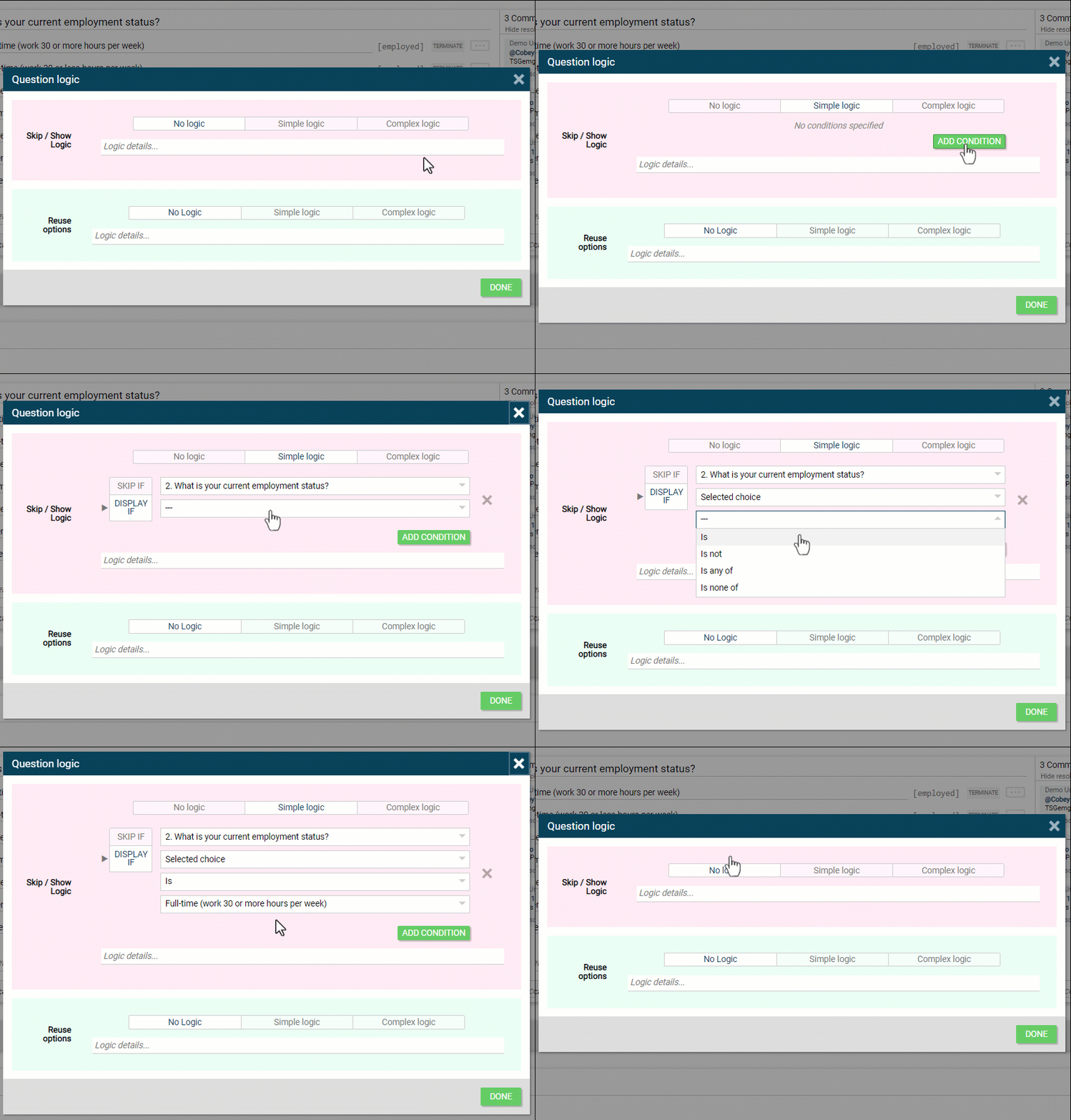 |
- Add condition
- Select question logic will be based on
- Choose parameters (Note parameters will change depending on question type)
- Selected choices, Unselected choices, Displayed choices
- Is, Is not, Is any of, Is none of
- Pick choice(s)
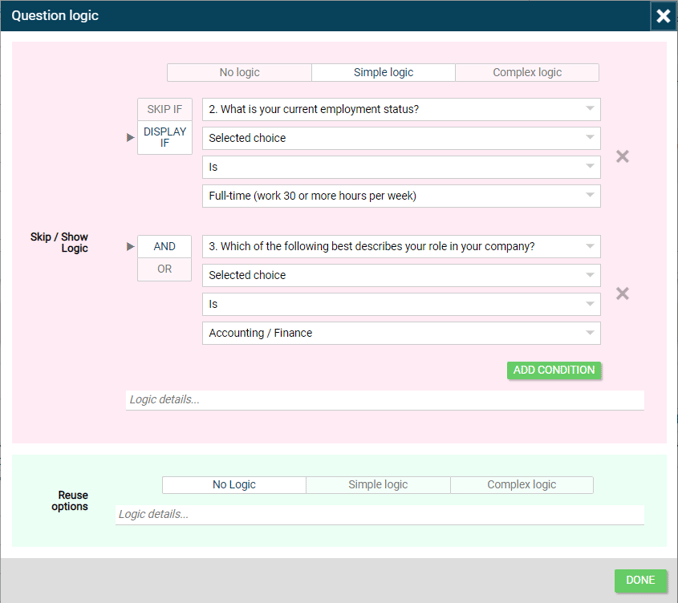
You can repeat the steps above to add multiple conditions to Simple logic using AND/OR to combine them, like this:
 |