![IncQuery logo 2022 (horizontal)-1.png]](https://www.incquery.com/hs-fs/hubfs/IncQuery%20logo%202022%20(horizontal)-1.png?height=39&name=IncQuery%20logo%202022%20(horizontal)-1.png)
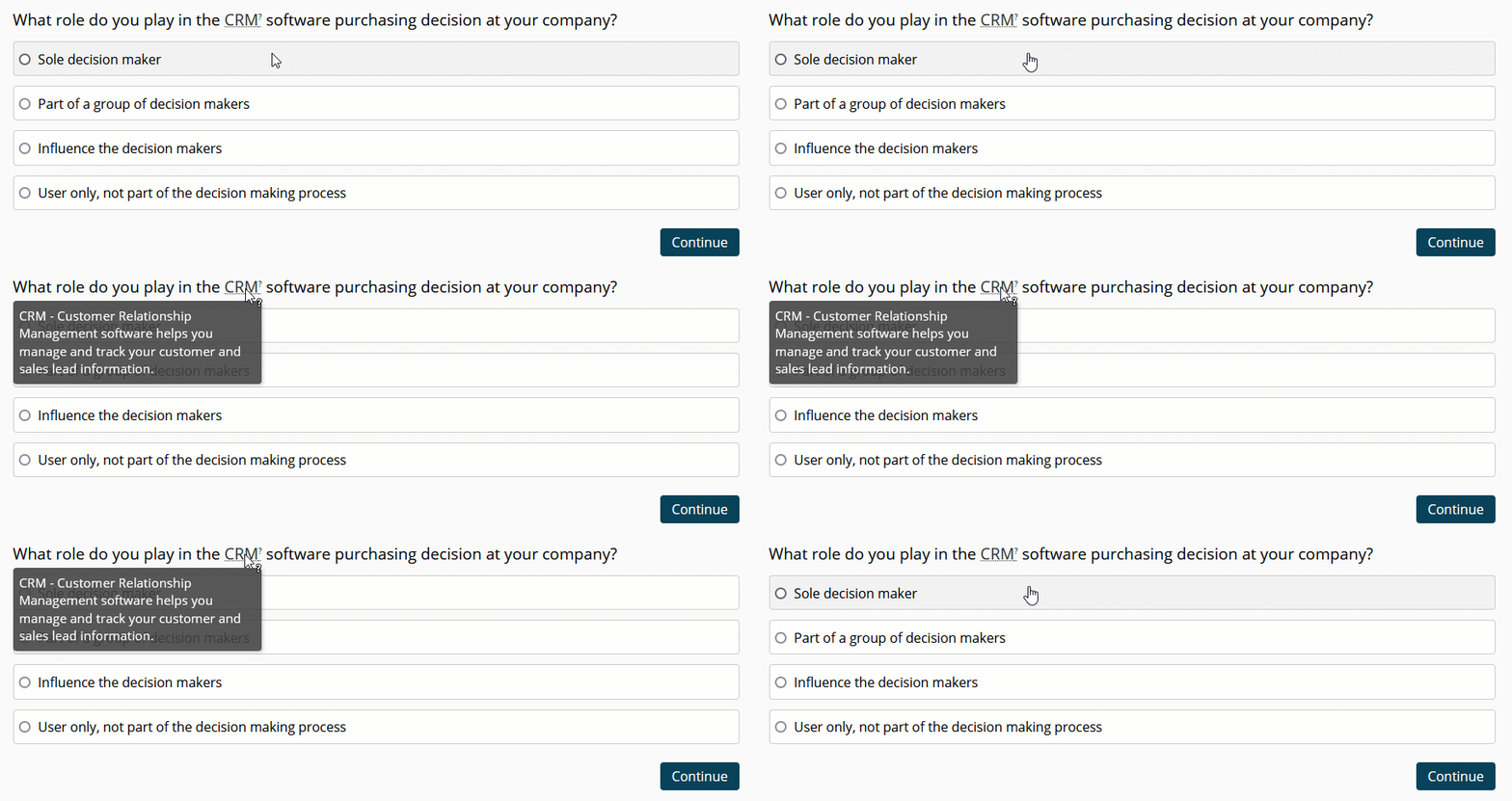
Hover definitions provide the respondent with additional information, reminders or an explanation of terminology in the question text, textboxes or choices.
Caution: A respondent might not mouse over a hover definition so they should not contain information that is necessary to complete a question.
Here's an example what a hover definition would look like for the respondent:
 |
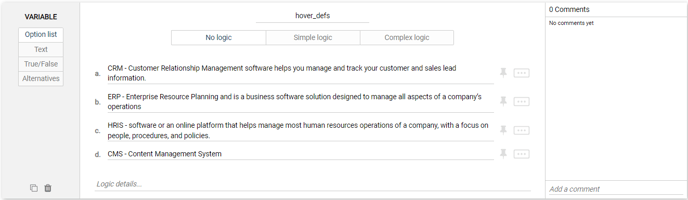
To create a hover definition we start by creating an Option List variable in the survey. This variable will store the full definitions we want to use throughout the survey. From the insert menu, choose Insert variable then list out the definition you want to show in hover. Here's an example:
 |
Once this is complete notify the IncQuery Survey Directors where you want hover definitions setup through out the survey and they will code them accordingly.
Note: Hover definitions are best when used sparingly