![IncQuery logo 2022 (horizontal)-1.png]](https://www.incquery.com/hs-fs/hubfs/IncQuery%20logo%202022%20(horizontal)-1.png?height=39&name=IncQuery%20logo%202022%20(horizontal)-1.png)
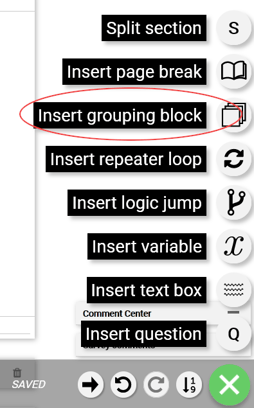 |
The grouping block or "Block" element has three uses:
- Organize questions together
- Apply logic to multiple questions/elements at the same time.
- Randomize display of elements
 |
|
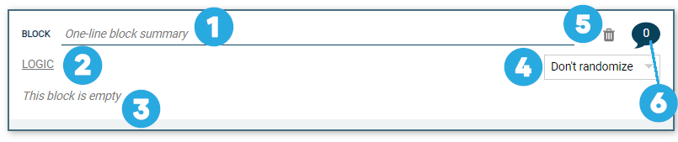
#1 |
One-line block summary is text field where you can add a label to the block |
|
#2 |
Logic link where Simple or Complex logic can be set which applies to all elements inside the block |
|
#3 |
Body of the grouping block - this is where the questions or other elements are placed |
|
#4 |
Randomize dropdown - This will randomize the display of all the elements within the block. Note this feature is rarely used and the logical implications need to be considered thoroughly |
|
#5 |
Delete button - This will delete the block and everything inside of it |
|
#6 |
Comment thread - Coder instructions, questions, or notes about the block can be left here |
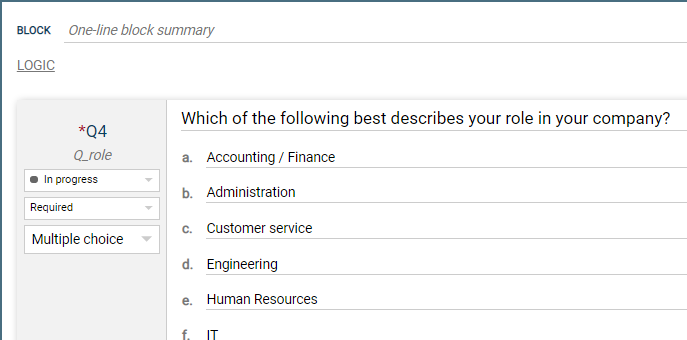
Here's an example of a block with a question inside of it:
 |
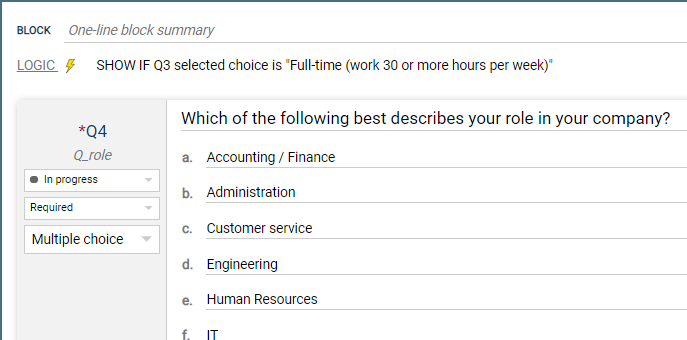
Here's that same block with a logic added:
 |
Here's that same block with logic and a label added:
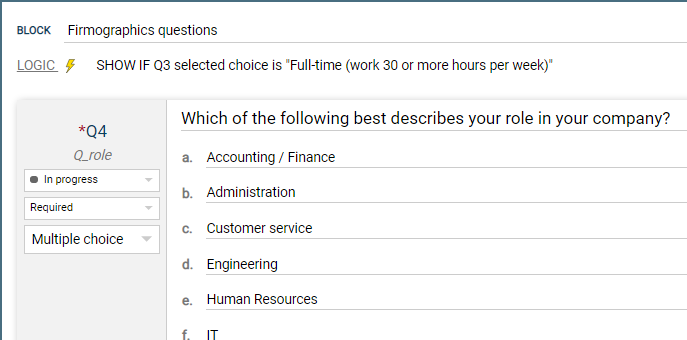 |
Note: Block logic applies to ALL questions inside the block