![IncQuery logo 2022 (horizontal)-1.png]](https://www.incquery.com/hs-fs/hubfs/IncQuery%20logo%202022%20(horizontal)-1.png?height=39&name=IncQuery%20logo%202022%20(horizontal)-1.png)
To move the survey to full launch we simply increase the Max N to the desired value and let the panel vendors know we are ready for them to full launch.
At any point before or after the full launch, we can make revisions to the survey content. Please leave comments where changes are made/needed, as some changes can impact the data output so the IncQuery team needs to review, code, and publish them.
Results
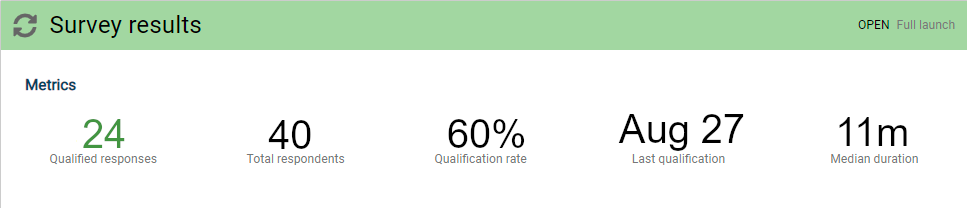
On the Metrics sub-tab under the Results tab, you can view the progress of the survey fielding. Here's a snapshot of the common metrics displayed automatically:
 |
At the bottom of the Results tab, is a button to download the response table. At any point during fielding you can download the current results.
 |
There are layout options as well as file format options for the download. From the checkboxes, you can decide to include or exclude terminated respondents and in-progress respondents.