![IncQuery logo 2022 (horizontal)-1.png]](https://www.incquery.com/hs-fs/hubfs/IncQuery%20logo%202022%20(horizontal)-1.png?height=39&name=IncQuery%20logo%202022%20(horizontal)-1.png)
You can create quotas on the Overview tab. Start by clicking the Add quota button
 |
Next click the configure button
 |
Configure the quota
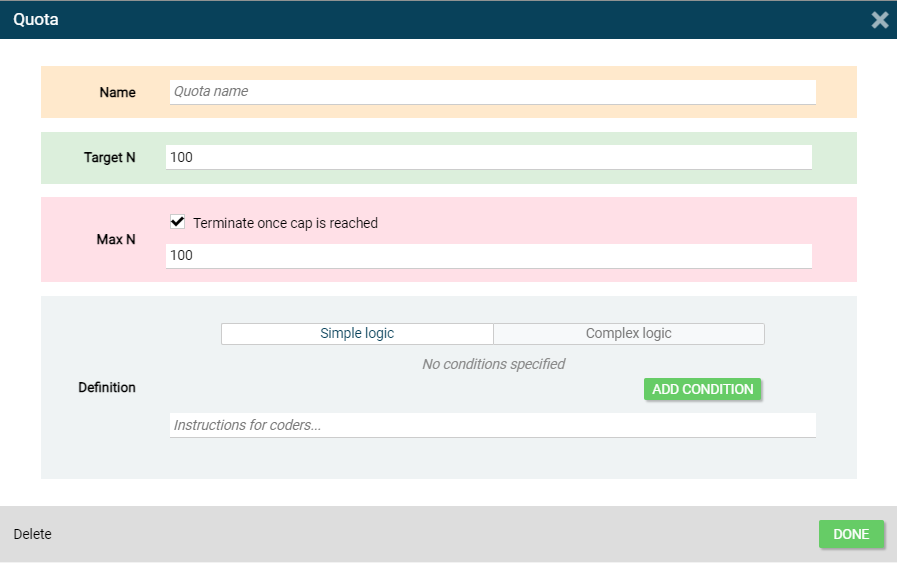 |
- Give your quota a name
- Set the Target N
- Uncheck the Max N if this quota should not have a cap.
- Set the Max N (if needed)
- Define how the quota should count by Adding Condition(s) through the series of dropdown menus
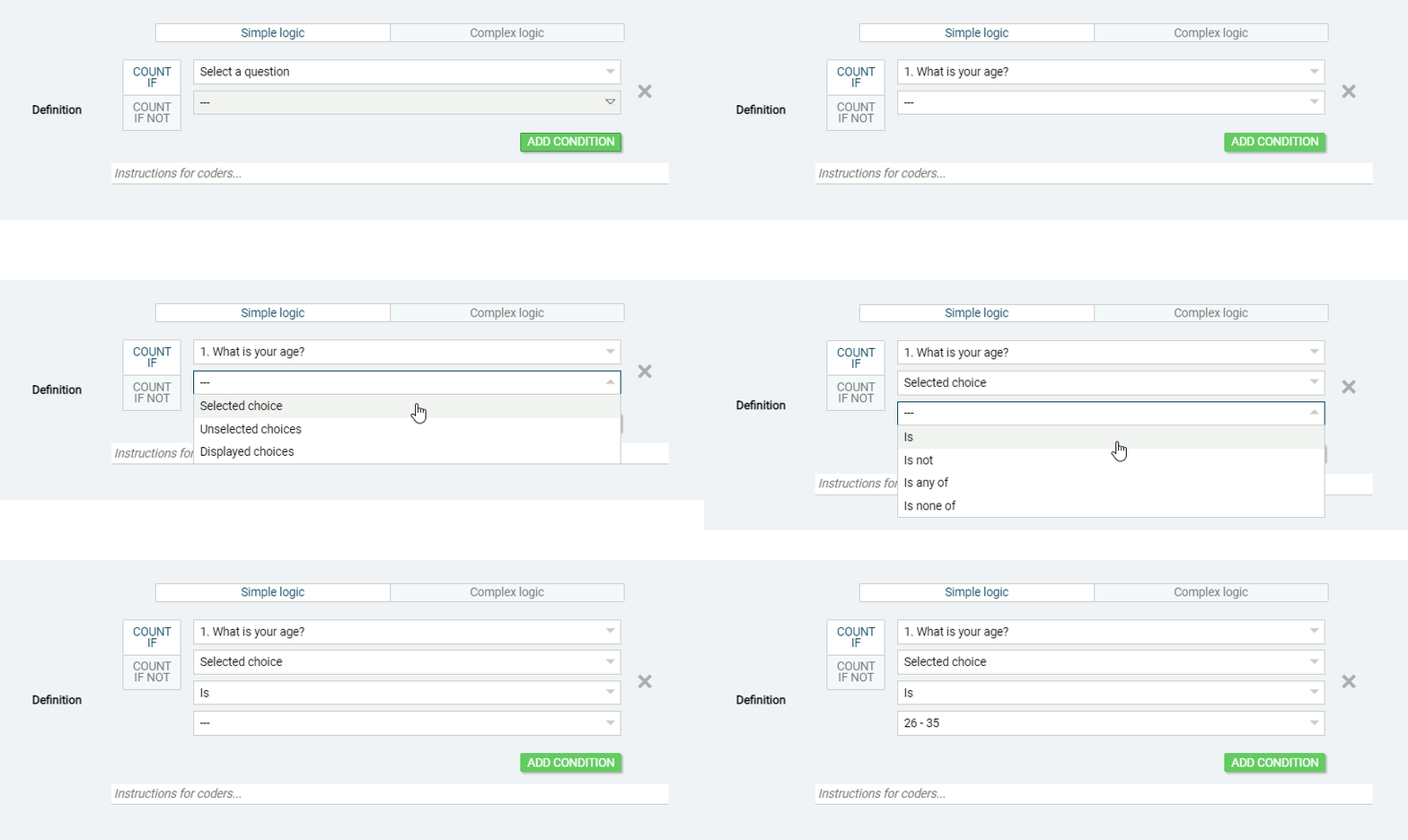 |
If you are not able to set the Simple logic you are trying to achieve in 20-30 seconds then leave instruction for coders and the IncQuery Team will help get it setup for you.
Tip - The button to delete a quota is on the bottom left of the configure quota window