![IncQuery logo 2022 (horizontal)-1.png]](https://www.incquery.com/hs-fs/hubfs/IncQuery%20logo%202022%20(horizontal)-1.png?height=39&name=IncQuery%20logo%202022%20(horizontal)-1.png)
Located at the bottom of the Content tab, this toolbar provides very useful functionality during the build process.
 |
| Saved Indicator, IncQuery automatically saves your changes as you make them. |
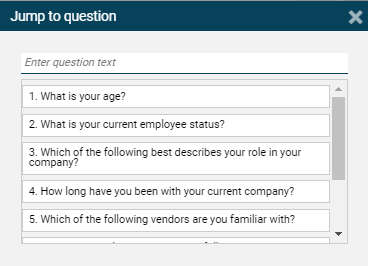
| Jump to Question (see below) - This dialog allows you to search the survey by question number or text and quickly jump to the location of interest. |
| Undo - revert your last action |
| Redo - repeat an undone action |
| Renumber questions - change question numbers sequentially from top to bottom |
| Inserting modules - Modules are pre-built questions, variables, and other company-specific survey elements that are pre-set to make building easier. If you are interested in setting up a new module for future use, please contact the Survey Director for more information. |
| ChatGPT - Opens the ChatGPT window allow for interaction with this OpenAI resource |
| Insert Menu - Add elements to your survey (questions, variables, text boxes, and more). For more information, please check this article on the insert menu . |
When you click the arrow to go to the question , a dialog box will appear allowing you to search.
 |