![IncQuery logo 2022 (horizontal)-1.png]](https://www.incquery.com/hs-fs/hubfs/IncQuery%20logo%202022%20(horizontal)-1.png?height=39&name=IncQuery%20logo%202022%20(horizontal)-1.png)
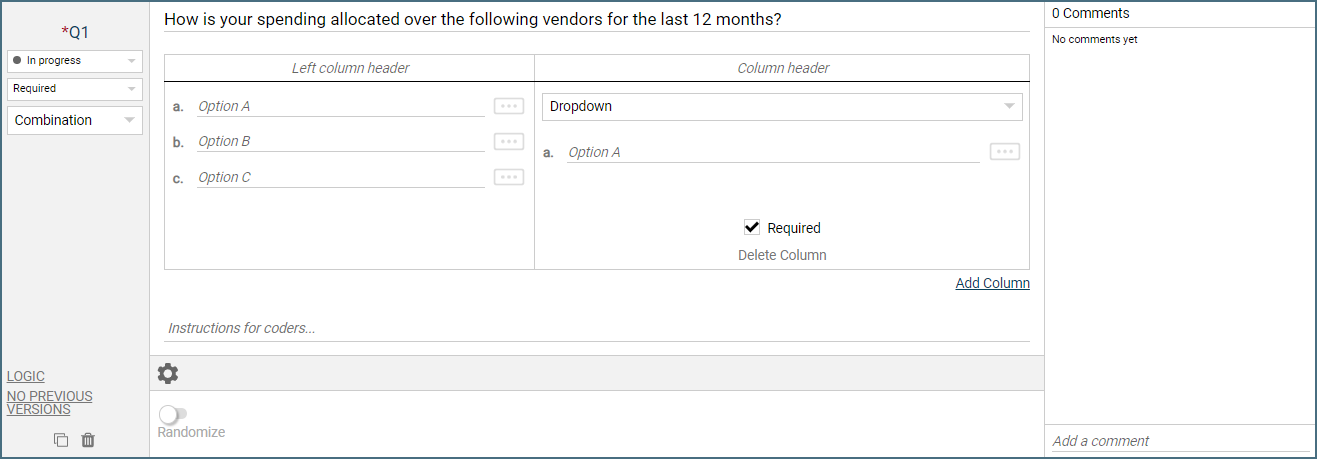
As the name suggests the Combination question type allows you to combine several other question types into one question. The basic structure is a table with a list of choices in the left-most column then one or more columns of differents types added in.
 |
Warning - Combining too much into a single question will increase survey fatigue. Use caution with Combination questions or you risk data issues
The only available setting is Randomize - this will shuffle the choices in the left column and add a pin to allow certain choices to be locked in place.
The default first column is a Dropdown list but this can be changed to any of the following types:
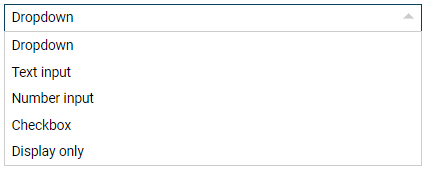 |
Dropdown - This will give the respondent a dropdown menu for each of the choices in the left column
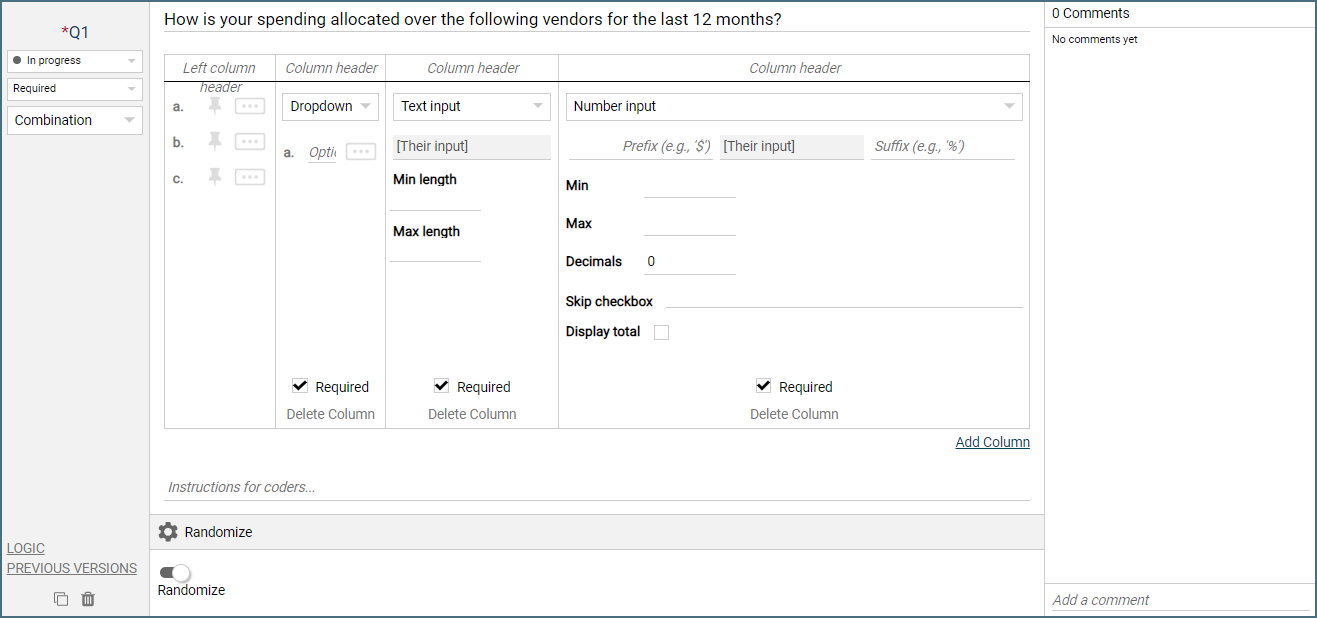
Text Input - This will give the respondent a single row of text entry for each of the choices in the left column. The settings for this column allow you to set a Min and Max for the characters.
Number Input - This will give the respondent a single row of number entry for each of the choices in the left column. The settings for this column allow you to add a Prefix or Suffix. Set Min, Max, and Decimal precision as well as add a Skip checkbox. Finally, you can choose to Display the column total.
Checkbox - This will give the respondent a checkbox square for each of the choices in the left column
Display only - This column is set up with Complex logic by the IncQuery team. It can be used to pull in information in the column and display it. Note the Display column must be used in conjunction with some other column
Additional features: The Add Column button is on the bottom right. Each column has a Required if you uncheck this it will make that column optional. Directly below Required is the Delete Column button, and lastly, there is space at the top for a Column header.
 |
Logic Settings for Combination questions
The available logic settings for Combination questions are:
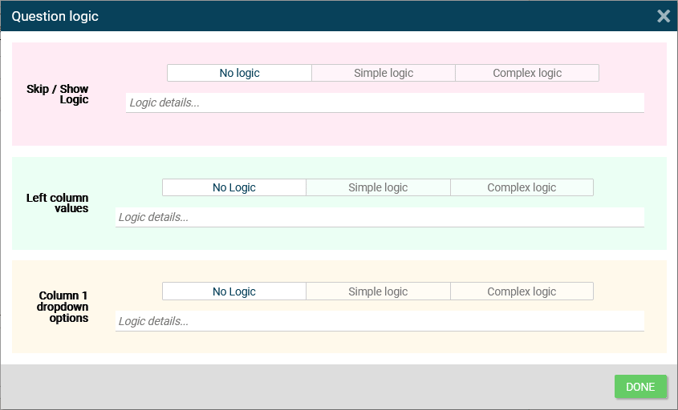 |
Show/Skip - dictated which respondents see or do not see this question
Reuse options - Pull in information from a previous question or from a variable to populate the choices
Column X dropdown options - For each dropdown column set up there will be a logic entry to enable populating the dropdown choices dynamically