![IncQuery logo 2022 (horizontal)-1.png]](https://www.incquery.com/hs-fs/hubfs/IncQuery%20logo%202022%20(horizontal)-1.png?height=39&name=IncQuery%20logo%202022%20(horizontal)-1.png)
Surveys in IncQuery can be complex and involve different pathways for sets of respondents. The Bookmarks feature can help reduce testing time by allowing you to set a bookmark during a test session and return to that placeholder for more testing.
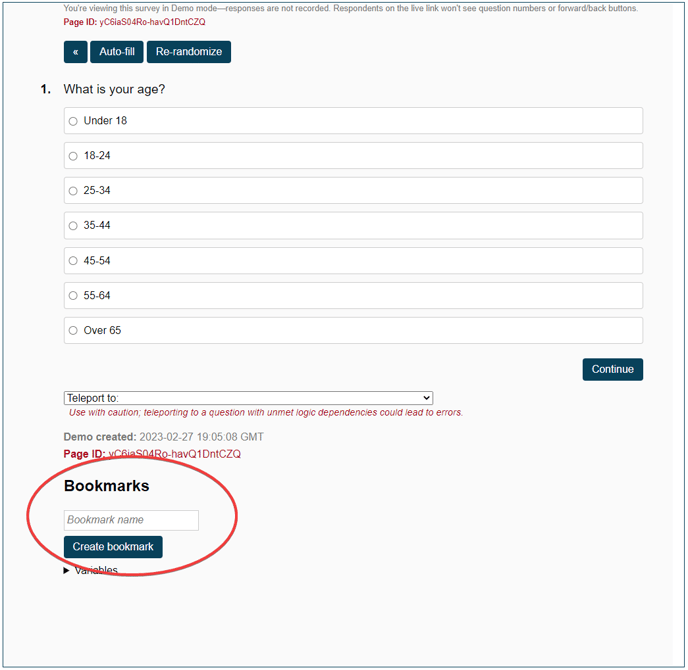
Bookmarks is located near the bottom of the testing window on the Preview tab.
 |
 |
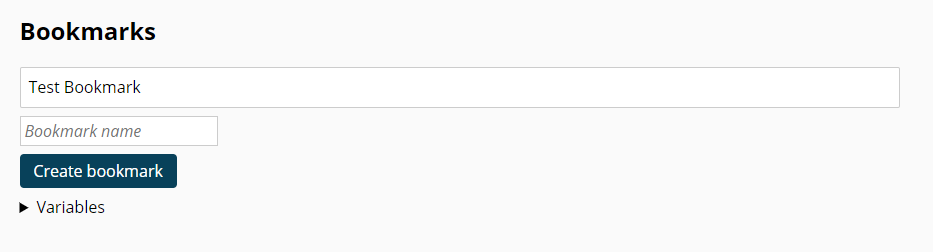
then click Create bookmark.
 |
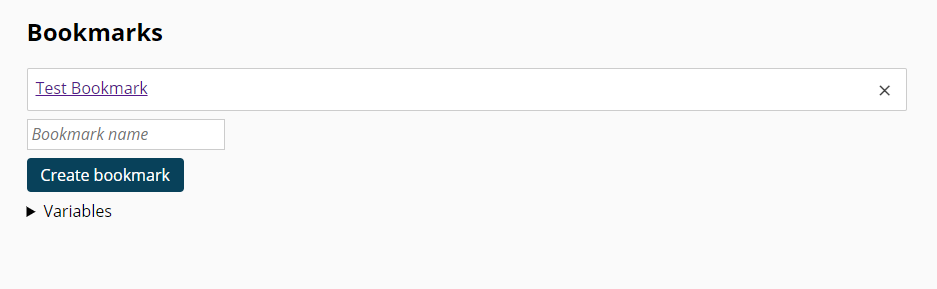
Once you advance in the survey preview the bookmark becomes a clickable link
 |
Recommended uses:
Setting a bookmark at the end of the Screening Section
Setting a bookmark for each major pathway or respondent profile in the survey
Set a bookmark before a divergence point (User vs Non-user, Decision maker vs Non-DM)
Set a bookmark after a long segment like a Max Diff, Conjoint, or Repeater loop with multiple questions