![IncQuery logo 2022 (horizontal)-1.png]](https://www.incquery.com/hs-fs/hubfs/IncQuery%20logo%202022%20(horizontal)-1.png?height=39&name=IncQuery%20logo%202022%20(horizontal)-1.png)
At the top of the Content tab, you will see two subtabs enabling you to toggle between Detailed View and Outline View
 |
Detailed View is the default, but as the survey grows jumping over to Outline View can help you understand the overall structure
Here's an example of Outline View:
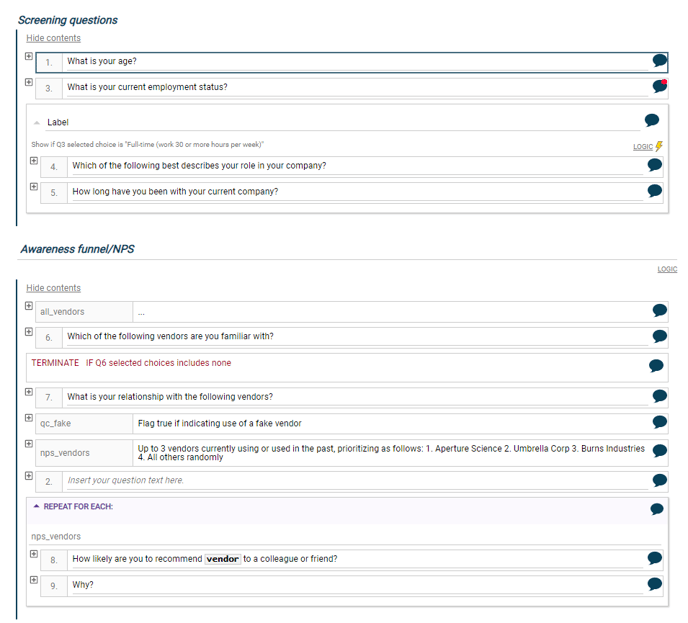 |
From Outline view you can:
- Reposition questions by clicking and dragging
- Edit question texts
- Add questions using the keyboard shortcut CRTL + M
- Expand individual questions by clicking the + symbol
- Set logic on Sections and Blocks
- Leave comments on questions, jumps, loops, and blocks